

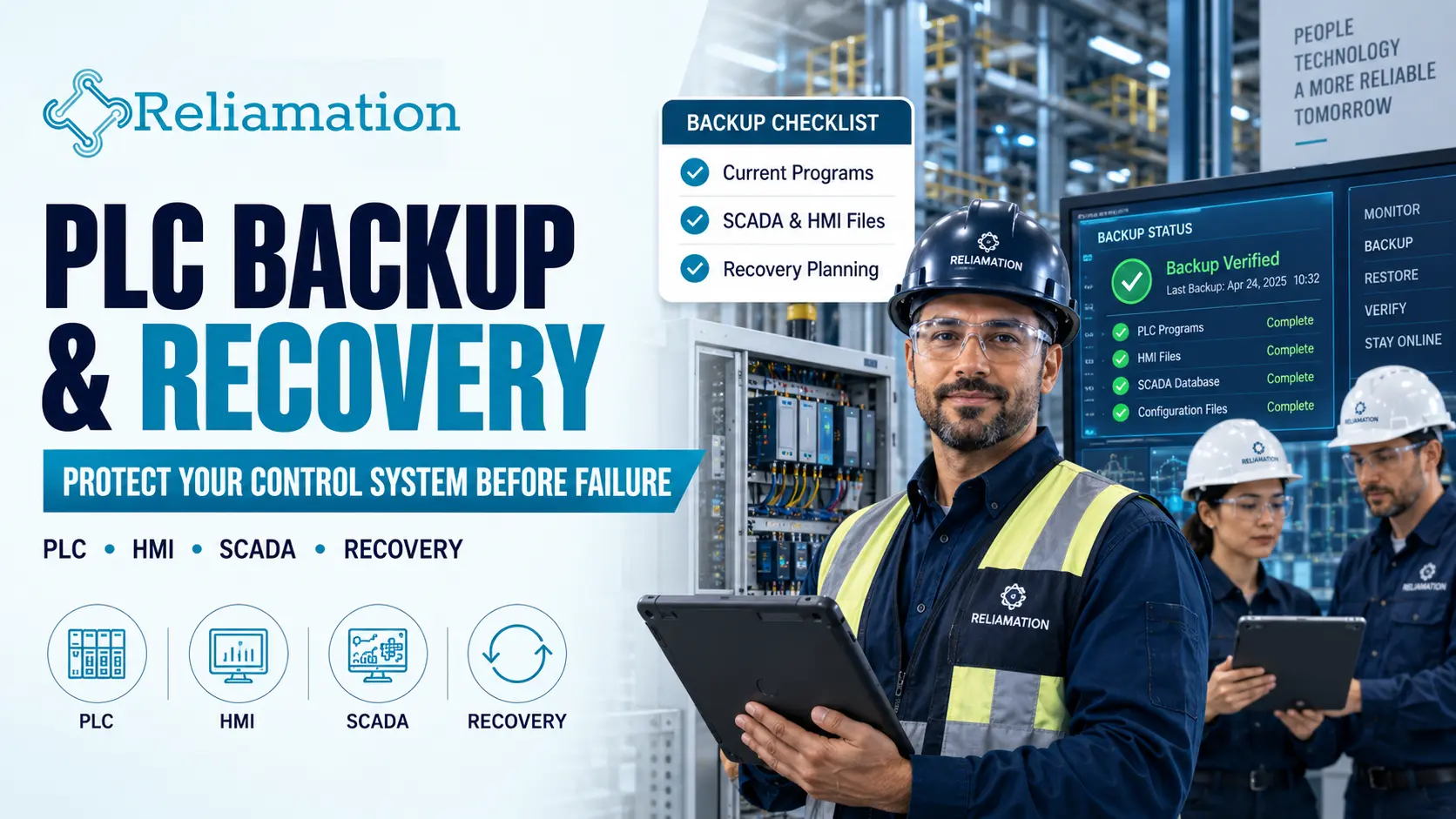
Industrial automation systems depend on configuration files, controller programs, HMI applications, SCADA databases, network settings and device parameters.
If those files are lost, outdated or corrupted, restoring production can become much more difficult than replacing the failed hardware itself.
For this reason, PLC backup and recovery should be treated as a core part of industrial control system maintenance.
A reliable backup strategy helps plants recover from hardware failures, programming mistakes, unexpected configuration changes and cybersecurity incidents.
NIST’s 2026 Operational Technology Backup Quick Start Guide emphasizes that OT backups are vital for recovering from both reliability and cyber incidents. It also recommends creating backups regularly, integrating them into change management, testing them and reviewing them during recovery exercises.
What Is PLC Backup and Recovery?
PLC backup and recovery is the process of creating, storing, validating and restoring copies of industrial control-system programs and configurations.
A complete backup strategy may include:
- PLC program files
- Controller tag values
- HMI applications
- SCADA configurations
- Historian configurations
- VFD parameters
- Network switch configurations
- Industrial firewall settings
- Remote I/O configurations
- Device firmware information
- Engineering documentation
In addition, the recovery process should define how these files will be restored if a controller, server or other automation component fails.
The goal is simple: the plant should know exactly which files are current, where they are stored and how they can be restored.
1. Identify Every Critical Automation Asset
Before creating a backup plan, identify which systems are essential to plant operation.
Typical assets may include:
- PLCs
- PACs
- DCS controllers
- HMIs
- SCADA servers
- Engineering workstations
- Historian servers
- VFDs
- Industrial switches
- Remote I/O devices
- Communication gateways
For each asset, document:
- Manufacturer
- Model
- Firmware version
- IP address
- Software version
- Current program name
- Backup location
- Last backup date
- Responsible engineer or technician
As a result, the maintenance team can quickly determine which files are required during a recovery event.
2. Back Up the PLC Program
The PLC program is one of the most important files in an automation system.
A controller backup should include the current approved project rather than an old engineering copy.
For example, a plant may have an original PLC project from commissioning while the running controller contains years of later changes.
Therefore, engineers should verify that the stored backup matches the program currently running in production.
Depending on the platform, this may include:
- Ladder logic
- Function blocks
- Structured text
- Tags
- I/O configuration
- Communication settings
- Add-On Instructions
- Controller properties
For Rockwell Automation Logix systems, the vendor documentation notes that saving while online can upload current tag values and configuration changes before the project is saved. Rockwell also provides an automatic project backup option that creates a previous backup copy during saves.
3. Capture Current Controller Data Where Required
Not every important controller value exists only in the program logic.
Some systems depend on current values such as:
- Production recipes
- PID tuning parameters
- Calibration values
- Machine settings
- Counters
- Setpoints
- Device configurations
Therefore, the backup process should determine whether runtime values must also be preserved.
This is especially important after tuning or commissioning changes.
A project file without updated values may restore the logic correctly but still require additional work before production can resume.
4. Back Up HMI Applications
PLC recovery alone may not restore the full automation system.
HMIs often contain:
- Graphics
- Alarm configuration
- Navigation
- User accounts
- Communication paths
- Recipes
- Machine settings
- Runtime configuration
For this reason, HMI application files should be backed up whenever significant changes are made.
In addition, document the software and runtime version required to open or restore the application.
This becomes especially important for older operator terminals.
5. Back Up SCADA Servers and Applications
SCADA systems usually contain more than screen graphics.
A complete SCADA backup may include:
- SCADA project files
- Alarm databases
- Historian configuration
- Tag databases
- Communication drivers
- OPC configuration
- User permissions
- Reports
- Scripts
- Server configuration
- License information
In addition, the recovery procedure should identify dependencies between the SCADA server and other systems.
For example, a SCADA project may require a specific database connection, OPC server or communication driver before it functions correctly.
6. Save Industrial Network Configurations
Industrial network equipment should also be included in the backup strategy.
Back up configurations for:
- Managed switches
- Industrial firewalls
- Routers
- Wireless infrastructure
- Network gateways
Important information may include:
- VLAN settings
- Port assignments
- IP addresses
- Routing
- Redundancy settings
- Access-control rules
Without this information, replacing a failed switch or firewall may require manually rebuilding the configuration during an outage.
Therefore, network backups can significantly reduce recovery time.
7. Back Up VFD and Device Parameters
VFDs and intelligent field devices may contain hundreds of configuration parameters.
These may include:
- Motor data
- Speed limits
- Acceleration settings
- Communication addresses
- Control modes
- Fault settings
- I/O assignments
For example, replacing a drive without a parameter backup may require technicians to recreate settings manually.
As a result, equipment restoration can take much longer than expected.
Whenever possible, use the manufacturer’s engineering software to save the complete device configuration.
8. Use Clear File Naming and Version Control
Poor file naming can turn a backup library into a troubleshooting problem.
Avoid names such as:
PLC_Final.acd
PLC_Final_New.acd
PLC_Final_New2.acd
Instead, use a consistent format such as:
Line1_MainPLC_2026-09-23_Rev03.acd
A useful naming convention may contain:
- Plant or line name
- Equipment name
- Date
- Revision number
- Approval status
In addition, maintain a simple revision log.
That log should explain:
- What changed
- Who made the change
- When the change occurred
- Why the change was required
NIST specifically recommends integrating OT backups into the change-management process rather than treating backups as a separate activity.
9. Create Backups After Approved Changes
Backups should not depend only on a fixed calendar schedule.
Instead, create a new approved backup after significant system changes.
Examples include:
- PLC logic changes
- HMI modifications
- SCADA updates
- Network changes
- Drive replacements
- Firmware updates
- New equipment integration
- Process tuning
For example, if a PLC change is made during a maintenance shutdown, the latest approved project should be backed up after the system has been tested successfully.
Otherwise, the plant may restore the pre-change version during a future failure.
10. Keep More Than One Backup Copy
A backup stored only on the engineering workstation is not enough.
If that workstation fails, the backup may disappear with it.
A stronger approach includes multiple controlled copies.
For example:
Working Copy → Controlled Local Backup → Separate Secure Backup
The exact storage architecture depends on the site’s policies and cybersecurity requirements.
However, the important point is to avoid a single point of failure.
NIST’s OT backup guidance emphasizes reliable backup management as part of recovery planning for both system failures and cyber incidents.
11. Protect Backups From Unauthorized Changes
Backup files should be protected.
Consider:
- Restricted access
- Approved storage locations
- Read-only copies where practical
- Controlled administrator permissions
- Change logs
- Secure offline or isolated copies
In addition, backups should not be continuously exposed to the same risks as the production environment.
For example, a backup stored on a network share that is accessible to every workstation may be more vulnerable than a controlled backup repository.
12. Test Backup Files
A backup should not be trusted simply because the file exists.
Files may be:
- Corrupted
- Incomplete
- Outdated
- Password-protected without available credentials
- Created with unavailable software
- Missing dependencies
Therefore, backup validation should form part of the maintenance process.
NIST explicitly recommends testing OT backups rather than assuming they will work during a recovery.
Testing may include:
- Opening PLC project files
- Verifying controller compatibility
- Checking HMI applications
- Validating SCADA archives
- Confirming network configuration files
- Reviewing required software versions
13. Perform Recovery Exercises
Backup testing confirms the file is usable.
Recovery testing confirms the organization knows how to restore the system.
A recovery exercise may ask:
- Which replacement controller is required?
- Which firmware version should be loaded?
- Which project file is the approved backup?
- Who has the required engineering software?
- Are passwords available?
- How long will restoration take?
- What must be tested before production resumes?
For example, a plant may discover that it has a valid PLC backup but no laptop with the correct software version.
Therefore, periodic recovery exercises can reveal gaps before an emergency occurs.
NIST’s 2026 guide specifically recommends reviewing backups during recovery exercises.
14. Maintain Software and Firmware Information
A project backup may not be useful without compatible engineering software.
Document:
- Engineering software name
- Software version
- Firmware version
- Communication software
- Required drivers
- License requirements
This information is particularly important for legacy systems.
For example, an older controller may require a software version that is no longer installed on modern engineering workstations.
As a result, software lifecycle planning should be part of the backup strategy.
15. Log Backup and Restore Activity
Backup activity should be traceable.
Record:
- Backup date
- File name
- Revision
- Engineer
- Reason for backup
- Storage location
- Validation status
In addition, restore events should be documented.
Rockwell Automation documents controller logging that can record events such as backup and restore activity, configuration changes and other control-system events.
Clear logging improves accountability and helps teams understand what happened before and after a control-system change.
PLC Backup and Recovery Checklist
Use this checklist to review your automation backup strategy.
PLC
- Current PLC program saved
- Runtime values captured where required
- Firmware version documented
- Engineering software version recorded
- Program opened and validated
HMI
- HMI project backed up
- Runtime file saved
- Communication settings documented
- Software version recorded
- Application validated
SCADA
- SCADA project backed up
- Tag database saved
- Alarm configuration saved
- Historian configuration documented
- Reports and scripts backed up
Network
- Managed switch configurations saved
- Firewall configurations backed up
- VLAN settings documented
- Network diagram current
- IP address list current
Drives and Devices
- VFD parameters backed up
- Critical device settings saved
- Firmware information recorded
- Replacement procedure documented
Recovery
- Backup storage verified
- Multiple copies available
- Access permissions reviewed
- Restore procedure documented
- Recovery test completed
How Often Should PLC Backups Be Created?
There is no single backup interval that fits every plant.
The required frequency depends on:
- How often logic changes
- Process criticality
- Production schedule
- Equipment lifecycle
- Cybersecurity requirements
- Maintenance practices
However, one rule should remain consistent:
Create and validate a new backup after every approved control-system change.
In addition, periodic backups can provide another layer of protection for systems where runtime data or configurations change regularly.
PLC Backup vs. Disaster Recovery
A backup and a disaster-recovery plan are related, but they are not the same.
A PLC backup is the saved program or configuration.
A disaster-recovery plan explains how the plant will use that backup to restore operation.
A recovery plan may include:
- Replacement hardware
- Required software
- Firmware
- Network settings
- Restore steps
- Validation procedures
- Responsible personnel
- Production restart checks
Therefore, keeping files is only the first step.
Reliable recovery requires both the backup and a documented restoration process.
Common Backup Mistakes
Industrial plants frequently make a few avoidable mistakes:
Keeping Only One Copy
If the engineering laptop fails, the backup may be lost.
Using Outdated Files
The backup may not contain the latest production changes.
No Version Control
Engineers may not know which file should be restored.
No Restore Testing
The backup exists, but nobody has confirmed that it can be used.
Missing Device Configurations
The PLC is backed up, but drives, switches or SCADA files are missing.
Missing Software Versions
The program exists, but the required engineering software is unavailable.
For this reason, backup management should cover the complete automation system rather than only the PLC.
Why PLC Backup and Recovery Matters
A structured backup strategy can help industrial facilities:
- Reduce recovery time
- Protect approved PLC programs
- Recover faster from hardware failures
- Reduce dependence on individual engineers
- Preserve HMI and SCADA configuration
- Support legacy-system maintenance
- Improve change management
- Improve incident recovery
Most importantly, the plant knows what to restore and how to restore it.
How Reliamation Can Help
Reliamation provides industrial automation and control-system services covering engineering, integration, commissioning, maintenance and lifecycle support. Its Total System Responsibility offering also includes ongoing maintenance, system health checks, upgrades and lifecycle management.
A structured PLC backup and recovery process fits naturally into this lifecycle approach because reliable recovery depends on accurate programs, current documentation and an understanding of the complete control system.
Need Help Protecting Your Automation System?
Contact Reliamation to discuss PLC backups, SCADA systems, control-system maintenance, modernization and recovery planning.
Frequently Asked Questions
What is PLC backup and recovery?
PLC backup and recovery is the process of saving controller programs and related automation configurations so the system can be restored after hardware failure, programming errors or other incidents.
How often should a PLC be backed up?
A new backup should be created after every approved logic or configuration change. Additional periodic backups may also be appropriate depending on plant requirements.
What files should be included in an industrial control system backup?
A complete backup may include PLC programs, HMI applications, SCADA configuration, historian settings, VFD parameters, switch configurations and engineering documentation.
Why should PLC backups be tested?
A file may exist but still be outdated, corrupted or incompatible with available hardware or software. Testing confirms that the backup can actually support recovery.
Should HMI and SCADA systems be backed up separately?
Yes. HMI and SCADA systems contain graphics, alarms, communication settings, users, reports and other configuration that may not exist inside the PLC project.
What is the difference between a PLC backup and a restore?
A backup creates a saved copy of the controller program or configuration. A restore uses that saved file to return a controller or system to an approved state.
Why should VFD parameters be backed up?
A replacement drive may require many motor, communication and control parameters. A saved configuration can reduce manual setup time during replacement.
What is an OT backup strategy?
An OT backup strategy defines what industrial assets are backed up, how often backups are created, where they are stored, how they are protected and how recovery is tested.
Frequently Asked Questions
Get answers to common questions about industrial automation, PLC migration, HMI, SCADA, and control-system integration.
Reliamation provides industrial automation services including PLC programming, HMI and SCADA development, control system integration, legacy control-system migration, industrial networking, data reporting, system troubleshooting, and automation modernization.
Yes. Reliamation helps manufacturers migrate legacy platforms such as PLC-5 and SLC 500 to modern ControlLogix and CompactLogix systems while minimizing production disruption and preserving essential control functionality.
A PLC controls machines and industrial processes, an HMI allows operators to interact with equipment, and a SCADA system provides plant-wide monitoring, control, alarms, historical data, and reporting.
Yes. Reliamation develops custom HMI and SCADA solutions designed around each facility’s equipment, operating requirements, alarm strategy, security standards, and reporting needs.
In many cases, yes. A phased modernization approach can retain compatible equipment while replacing obsolete controllers, communication networks, operator interfaces, and other high-risk components.
Reliamation’s automation and control-system solutions can support manufacturing, food and beverage, plastics, packaging, material handling, water treatment, energy, and other process-driven industries.
Industrial automation can reduce downtime through reliable controls, real-time alarms, equipment diagnostics, historical data, preventive-maintenance insights, and faster troubleshooting.
You can contact Reliamation through the website to discuss your existing control system, operational challenges, modernization requirements, and project goals with an industrial automation specialist.