

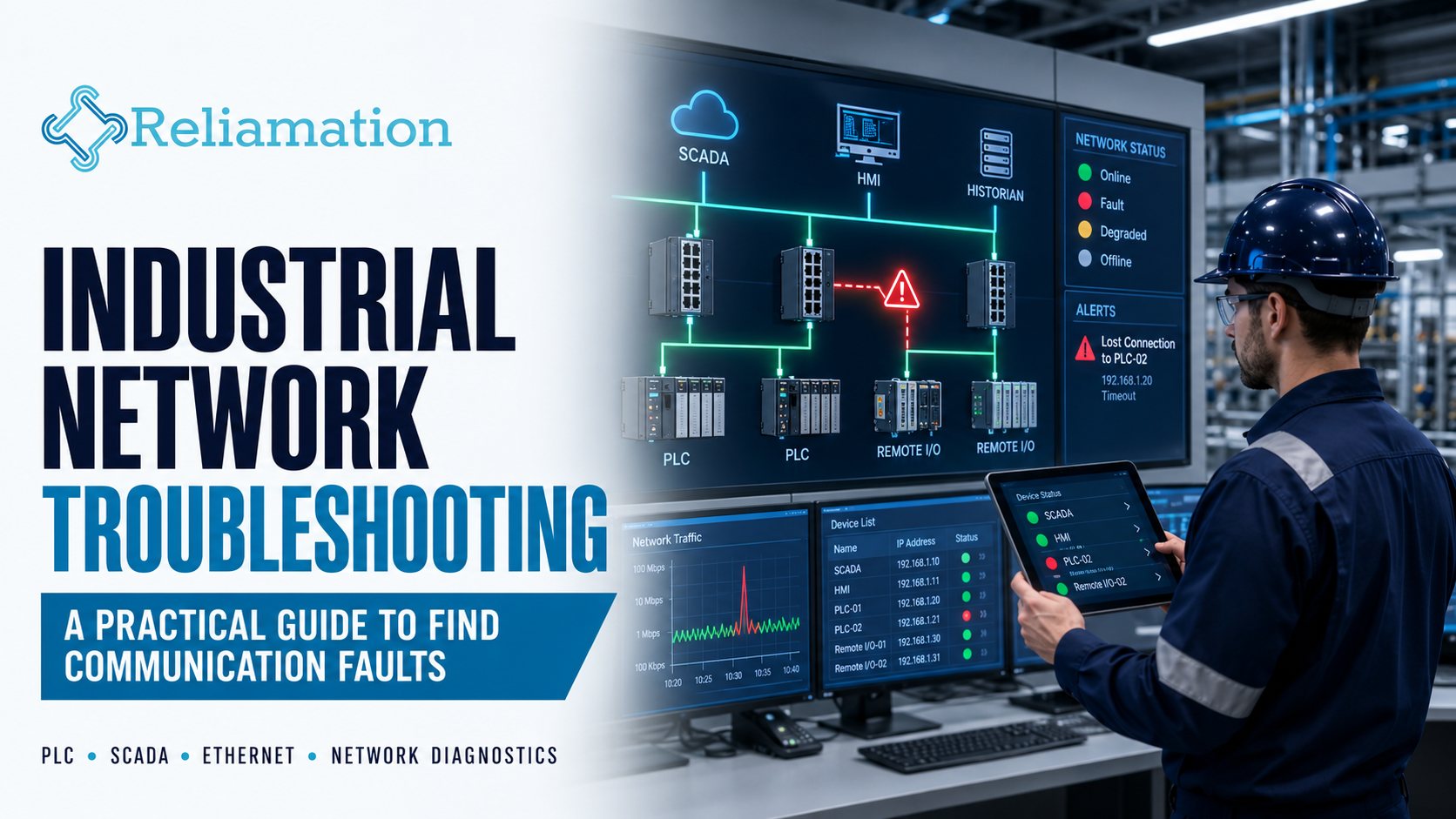
Modern industrial plants depend on reliable communication between PLCs, HMIs, SCADA systems, remote I/O, drives, servers and smart field devices.
However, when communication fails, the problem is not always obvious.
A production line may stop because of a damaged Ethernet cable, a failing switch port, an incorrect IP address, a device configuration change or a communication module fault.
For this reason, industrial network troubleshooting should follow a structured process rather than relying on repeated power cycles or trial-and-error changes.
A systematic approach helps maintenance and engineering teams identify the source of communication problems faster while reducing unnecessary production disruption.
Industrial network availability has become increasingly important as more factory-floor equipment depends on continuous connectivity. Cisco similarly notes that PLCs, HMIs, safety controllers, drives and other industrial devices increasingly rely on network availability for normal operation.
What Is Industrial Network Troubleshooting?
Industrial network troubleshooting is the process of identifying and resolving communication problems between devices in an automation system.
Typical industrial network devices may include:
- PLCs
- HMIs
- SCADA servers
- Remote I/O
- Variable Frequency Drives
- Industrial Ethernet switches
- Managed switches
- Historian servers
- Engineering workstations
- Smart instrumentation
- Industrial gateways
In addition, these devices may communicate using protocols such as EtherNet/IP, Modbus TCP, PROFINET or other industrial Ethernet technologies.
The goal is to determine where communication has failed and why.
Common Symptoms of Industrial Network Problems
Before troubleshooting begins, identify the actual symptom.
Common signs include:
- PLC communication faults
- HMI devices showing offline
- SCADA tags losing communication
- Remote I/O disconnecting
- VFD communication alarms
- Intermittent network faults
- Slow HMI updates
- Devices repeatedly reconnecting
- Duplicate IP warnings
- Switch port errors
- Historian data gaps
For example, an HMI may report a PLC communication fault even though the PLC itself is operating normally.
Therefore, the device displaying the alarm is not always the source of the problem.
1. Define the Scope of the Failure
Start by determining how much of the system is affected.
Ask:
- Is only one device offline?
- Is one machine affected?
- Is an entire network segment unavailable?
- Are multiple PLCs reporting faults?
- Did the problem begin after a system change?
- Is the problem constant or intermittent?
For example, if only one VFD is offline while every other network device remains healthy, the problem is likely local to that drive, cable or switch port.
On the other hand, if multiple devices fail simultaneously, the issue may involve shared infrastructure such as a switch, fiber connection, power supply or network configuration.
Therefore, defining the scope first can prevent unnecessary troubleshooting.
2. Check the Physical Layer First
Many industrial communication problems begin at the physical layer.
Before changing PLC programs or network configurations, inspect:
- Ethernet cables
- Connectors
- Fiber cables
- Patch cords
- Switch ports
- Cable routing
- Power connections
- Communication-module status LEDs
In addition, look for:
- Loose connectors
- Damaged cables
- Bent fiber
- Excessive dust
- Moisture
- Vibration
- Physical impact
- Improper cable termination
Cisco’s 2026 industrial-network troubleshooting guidance specifically highlights physical faults such as damaged cables and failing fiber transceivers as common problems that can affect industrial connectivity.
A simple physical inspection can sometimes identify the problem faster than software diagnostics.
3. Check Device Power and Status LEDs
Next, confirm that the affected device has stable power.
A communication failure may actually be caused by:
- Failed power supply
- Loose DC power connection
- Blown fuse
- Tripped breaker
- UPS problem
- Intermittent power loss
Then review device indicators.
Industrial equipment often provides LEDs for:
- Power
- Module status
- Network status
- Link activity
- Communication faults
- I/O health
For example, an Ethernet link LED that repeatedly turns on and off may indicate a cable or port problem.
Therefore, device status indicators should be reviewed before making configuration changes.
4. Verify the IP Address
Incorrect IP addressing is another common cause of communication problems.
Check:
- Device IP address
- Subnet mask
- Default gateway
- VLAN assignment
- Network range
In addition, confirm that the IP address matches the current network documentation.
A device moved from another machine may still contain its previous network settings.
As a result, it may power up correctly but remain unreachable from the PLC or SCADA system.
5. Check for Duplicate IP Addresses
Duplicate IP addresses can create confusing intermittent problems.
Symptoms may include:
- Device repeatedly connecting and disconnecting
- Communication working temporarily
- HMI tags becoming unavailable
- Network instability
- ARP table changes
For example, a replacement drive may be configured with the same IP address as an existing device.
In that case, both devices may compete for the same network identity.
Therefore, verify that every Ethernet device has a unique address.
Good IP documentation can significantly reduce this type of problem.
6. Test Basic Network Connectivity
Once addressing is verified, test basic communication.
Depending on site policies and available tools, technicians may use:
- Ping tests
- Switch diagnostics
- Device web interfaces
- Engineering software
- Network management tools
For example, a successful ping confirms basic IP connectivity.
However, it does not prove that the industrial protocol itself is functioning correctly.
Therefore, troubleshooting should continue if PLC or SCADA communication remains unavailable.
7. Review Industrial Switch Diagnostics
Managed industrial switches can provide valuable troubleshooting information.
Review:
- Port status
- Link speed
- Duplex settings
- Error counters
- Packet drops
- Port flapping
- VLAN configuration
- Fiber status
- Switch CPU utilization
- Power-supply status
Cisco identifies issues such as duplex mismatches, VLAN problems, switch power failures and high switch CPU or memory utilization as potential causes of industrial-network problems.
For this reason, switch diagnostics should be part of routine industrial network troubleshooting.
8. Look for Port Flapping
Port flapping occurs when a network connection repeatedly moves between connected and disconnected states.
Possible causes include:
- Damaged cable
- Loose connector
- Failing switch port
- Faulty network interface
- Unstable device power
- Fiber transceiver issue
In addition, repeated link interruptions can create communication alarms across multiple systems.
If a port is frequently changing state, investigate the physical connection before replacing controllers or changing PLC logic.
9. Verify VLAN Configuration
Many industrial networks use VLANs to separate equipment or production areas.
A device connected to the wrong VLAN may appear completely offline even though its Ethernet link is active.
Check:
- Switch port VLAN
- Tagged and untagged settings
- Trunk configuration
- Device network settings
- Routing rules
For example, a replacement HMI connected to a port configured for another VLAN may not communicate with its PLC.
Therefore, switch configuration should be compared with the approved network architecture.
10. Check PLC Communication Modules
If the network infrastructure appears healthy, review the PLC communication module.
Check:
- Module status
- Fault codes
- Connection count
- Controller diagnostics
- Ethernet statistics
- Network configuration
For EtherNet/IP systems, the controller may show which devices have lost connections.
In addition, engineering software can often identify the exact I/O module or device that is unavailable.
This helps narrow troubleshooting to the correct network path.
11. Check HMI and SCADA Communication Settings
If the PLC is reachable but the HMI or SCADA system cannot communicate, review the software configuration.
Check:
- PLC address
- Communication driver
- Device name
- OPC connection
- Shortcut configuration
- Tag path
- Port settings
- Server status
For example, a PLC replacement may retain the correct IP address while the communication shortcut inside the HMI application points to the wrong processor path.
Therefore, both network connectivity and application-level configuration should be verified.
12. Review Recent Changes
Network problems often appear shortly after a change.
Ask whether anyone recently:
- Replaced a PLC
- Installed a new switch
- Added a VFD
- Changed an IP address
- Updated firmware
- Modified VLAN settings
- Replaced a cable
- Added a remote I/O station
- Changed firewall rules
If the network was stable before the change, that change should be reviewed first.
In practice, accurate change documentation can significantly reduce troubleshooting time.
13. Check Network Traffic and Utilization
High network utilization can also affect industrial communication.
Potential causes include:
- Excessive multicast traffic
- Misconfigured devices
- Unnecessary broadcast traffic
- High-frequency data collection
- Network loops
- Improper switch configuration
Symptoms may include:
- Slow HMI response
- Delayed SCADA updates
- Intermittent PLC connections
- Packet loss
Therefore, managed-switch statistics and network monitoring tools can help identify unusual traffic patterns.
14. Check Redundant Network Paths
Some industrial systems use redundant network architectures to improve availability.
However, redundancy only helps when it is configured and tested correctly.
Verify:
- Ring status
- Redundant switch paths
- Fiber links
- Failover status
- Redundancy alarms
In addition, confirm that the network recovers correctly when one link is disconnected.
A redundant architecture that has never been tested may provide false confidence.
15. Document the Root Cause and Fix
Once the problem is resolved, document what happened.
A troubleshooting record should include:
- Date and time
- Affected equipment
- Symptoms
- Root cause
- Corrective action
- Replaced components
- Network changes
- Final test results
For example:
Problem: PLC lost communication with remote I/O.
Root Cause: Damaged Ethernet patch cable.
Resolution: Replaced cable and verified stable link.
Follow-Up: Inspected adjacent cables and updated maintenance records.
Documentation helps future technicians solve recurring problems more quickly.
Industrial Network Troubleshooting Checklist
Use this checklist during a communication fault.
Physical Layer
- Verify device power
- Check Ethernet cables
- Inspect connectors
- Check fiber connections
- Review status LEDs
- Inspect switch ports
Network Configuration
- Verify IP address
- Confirm subnet mask
- Check duplicate IP addresses
- Verify VLAN
- Review gateway settings
Switch Diagnostics
- Check port status
- Review error counters
- Check link speed
- Review duplex settings
- Look for port flapping
- Verify switch power status
PLC and SCADA
- Review PLC communication faults
- Check communication modules
- Verify HMI communication path
- Review SCADA server status
- Confirm device configuration
Final Verification
- Test communication
- Confirm stable operation
- Monitor alarms
- Verify production equipment
- Document the root cause
Common Industrial Network Problems and Likely Causes
| Symptom | Possible Cause |
|---|---|
| One device offline | Cable, power, IP address or local port problem |
| Multiple devices offline | Switch, fiber, power or network-segment issue |
| Intermittent communication | Loose cable, port flapping, duplicate IP or power instability |
| HMI cannot reach PLC | Driver, PLC path, IP address or network issue |
| Slow SCADA updates | Network congestion, server load or communication configuration |
| Device works after reboot | Configuration, firmware, network or hardware issue requiring deeper investigation |
| Frequent switch alarms | Cabling, topology, power or switch-health problem |
This table should be used as a starting point rather than a replacement for systematic diagnosis.
How to Reduce Future Network Problems
Troubleshooting is important, but prevention is better.
Industrial facilities can improve network reliability by:
- Maintaining current network diagrams
- Labeling switch ports
- Documenting IP addresses
- Using managed industrial switches
- Keeping configuration backups
- Monitoring switch diagnostics
- Inspecting cables during preventive maintenance
- Controlling system changes
- Maintaining spare network components
In addition, network topology should remain understandable to both automation and maintenance personnel.
A network that is clearly documented is much easier to troubleshoot during an outage.
Industrial Network Troubleshooting and Plant Reliability
Industrial networks connect the systems that control production.
Therefore, network reliability directly affects:
- PLC operation
- SCADA visibility
- Remote I/O
- Drives
- Machine communication
- Production reporting
- Operator response
Cisco’s current industrial-network guidance emphasizes faster detection and root-cause diagnosis because prolonged network faults can extend production downtime.
For this reason, industrial network troubleshooting should be treated as part of overall control-system reliability.
How Reliamation Can Help
Reliamation provides industrial automation and control-system integration services, including PLC programming, HMI and SCADA development, industrial networking, troubleshooting, modernization and ongoing control-system support.
Whether the issue involves a single PLC connection or a larger industrial network architecture, a structured engineering approach can reduce troubleshooting time and help restore reliable plant operation.
Experiencing Industrial Network Communication Problems?
Contact Reliamation to discuss PLC, SCADA, industrial Ethernet and control-system troubleshooting requirements.
Frequently Asked Questions
What is industrial network troubleshooting?
Industrial network troubleshooting is the process of identifying communication faults between PLCs, HMIs, SCADA systems, drives, remote I/O and industrial Ethernet infrastructure.
What causes industrial Ethernet communication failures?
Common causes include damaged cables, incorrect IP addresses, duplicate IP addresses, switch problems, VLAN configuration errors, power failures and communication-module faults.
Why does a PLC lose communication intermittently?
Intermittent PLC communication may result from loose cables, port flapping, duplicate addresses, unstable power, network congestion or failing network hardware.
How do I troubleshoot a PLC communication problem?
Start by defining which devices are affected. Then check power, cables, status LEDs, IP settings, switch diagnostics and PLC communication-module status before changing software configurations.
Can a bad Ethernet cable cause intermittent PLC faults?
Yes. Damaged or poorly terminated cables can create unstable links and intermittent communication failures.
What is a duplicate IP address?
A duplicate IP occurs when two devices use the same network address. This can cause unstable communication because network traffic may be directed to the wrong device.
Why is network documentation important?
Current IP lists, switch-port records and network diagrams allow technicians to understand the expected configuration and identify unexpected changes more quickly.
Can industrial network problems cause plant downtime?
Yes. If PLCs, remote I/O, drives or supervisory systems depend on the affected network connection, a communication failure can interrupt production.
Frequently Asked Questions
Get answers to common questions about industrial automation, PLC migration, HMI, SCADA, and control-system integration.
Reliamation provides industrial automation services including PLC programming, HMI and SCADA development, control system integration, legacy control-system migration, industrial networking, data reporting, system troubleshooting, and automation modernization.
Yes. Reliamation helps manufacturers migrate legacy platforms such as PLC-5 and SLC 500 to modern ControlLogix and CompactLogix systems while minimizing production disruption and preserving essential control functionality.
A PLC controls machines and industrial processes, an HMI allows operators to interact with equipment, and a SCADA system provides plant-wide monitoring, control, alarms, historical data, and reporting.
Yes. Reliamation develops custom HMI and SCADA solutions designed around each facility’s equipment, operating requirements, alarm strategy, security standards, and reporting needs.
In many cases, yes. A phased modernization approach can retain compatible equipment while replacing obsolete controllers, communication networks, operator interfaces, and other high-risk components.
Reliamation’s automation and control-system solutions can support manufacturing, food and beverage, plastics, packaging, material handling, water treatment, energy, and other process-driven industries.
Industrial automation can reduce downtime through reliable controls, real-time alarms, equipment diagnostics, historical data, preventive-maintenance insights, and faster troubleshooting.
You can contact Reliamation through the website to discuss your existing control system, operational challenges, modernization requirements, and project goals with an industrial automation specialist.