

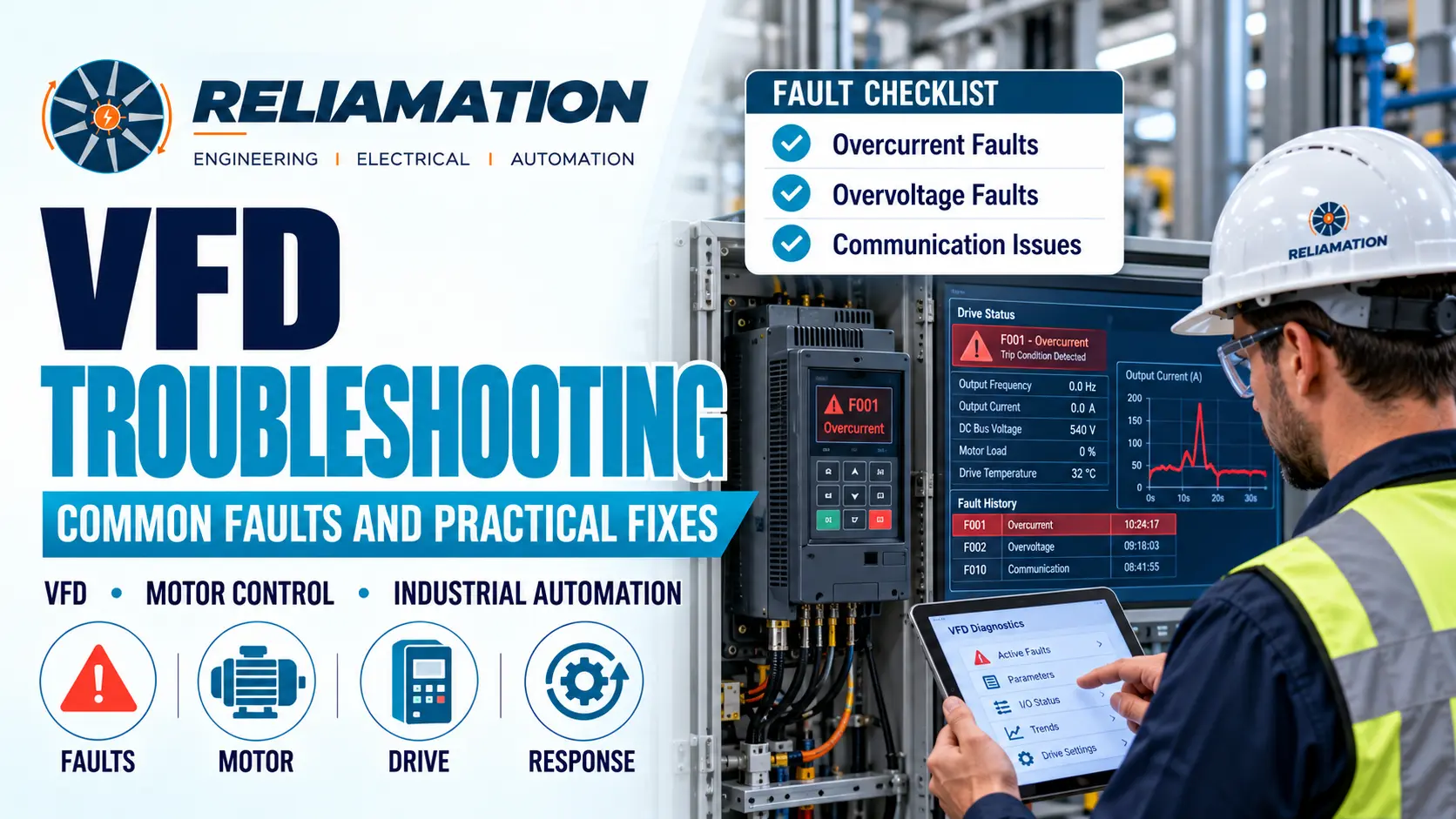
Variable Frequency Drives are widely used in industrial plants to control motor speed, torque, acceleration, and process performance.
A VFD can improve energy efficiency and equipment control, but when a drive faults, production can stop immediately.
The challenge is that a VFD fault code does not always identify the true root cause.
An overcurrent fault may be caused by a mechanical overload, short acceleration time, motor problem, or incorrect parameter setting. An overvoltage fault may occur because the motor is regenerating energy back into the DC bus during rapid deceleration. An overheating fault may point to blocked airflow, a failed cooling fan, or excessive ambient temperature.
For this reason, effective VFD troubleshooting should focus on understanding the operating condition behind the fault rather than simply resetting the drive.
Rockwell Automation and ABB troubleshooting documentation both show that common drive faults such as overcurrent, overvoltage, undervoltage, motor overload, ground fault, and overheating can have several possible causes. Rockwell Automation
Start With the Exact Fault
When a VFD trips, the first step is to record the fault before resetting it.
Capture:
- Fault code
- Fault description
- Motor speed
- Output current
- DC bus voltage
- Operating mode
- Process condition
- Time of occurrence
This information can make troubleshooting much easier.
For example, if a drive trips on overcurrent only during startup, the cause may be very different from an overcurrent fault that occurs after the motor has been running for an hour.
Rockwell specifically recommends documenting drive faults before resetting them because the information can help maintenance teams identify recurring problems. Rockwell Automation
VFD Overcurrent Faults
Overcurrent is one of the most common VFD faults.
A drive may trip when output current exceeds its allowed limit.
Possible causes include:
- Excessive mechanical load
- Jammed equipment
- Acceleration time too short
- Motor cable problem
- Incorrect motor data
- Motor fault
- Improper drive settings
For example, a conveyor that suddenly becomes mechanically overloaded may force the motor to draw more current than the VFD can safely supply.
Similarly, if acceleration time is set too aggressively, the drive may demand excessive current while trying to accelerate the motor.
ABB troubleshooting guidance recommends checking motor load, acceleration settings, motor wiring, motor data, and related drive parameters when an overcurrent condition occurs. ABB Library
The correct response is not simply to increase the current limit.
First determine why current is high.
VFD Overvoltage Faults
A VFD overvoltage fault often occurs when the DC bus voltage rises above the drive’s allowable limit.
One common cause is motor regeneration.
When a motor decelerates quickly, it can act like a generator and send energy back into the drive.
If the drive cannot dissipate that energy fast enough, the DC bus voltage can rise and trigger an overvoltage fault.
This often appears on:
- High-inertia fans
- Centrifuges
- Conveyors
- Hoists
- Large rotating equipment
A practical first step is to review the deceleration time.
If the motor is being stopped too quickly, increasing the deceleration time may reduce regenerative energy.
Depending on the application, a braking resistor or other braking method may also be required.
Rockwell and ABB both identify motor regeneration, high incoming voltage, and short deceleration times as common contributors to drive overvoltage faults. Rockwell Automation
VFD Undervoltage and Power-Loss Faults
Undervoltage faults occur when the drive’s DC bus voltage falls below the required level.
Possible causes include:
- Low incoming line voltage
- Missing input phase
- Blown fuse
- Loose power connection
- Power interruption
- Supply voltage dip
For example, a drive may fault during startup of another large motor if the plant supply voltage drops temporarily.
Therefore, troubleshooting should include measurements of the incoming power rather than focusing only on the VFD itself.
Rockwell documentation recommends checking incoming AC voltage, input fuses, and power interruptions when undervoltage or power-loss faults occur. Rockwell Automation
VFD Overheating Faults
VFDs generate heat during operation.
If heat cannot escape properly, the drive may trip on an overtemperature fault.
Common causes include:
- Blocked cooling vents
- Dirty heat sinks
- Failed cooling fan
- High panel temperature
- Insufficient ventilation
- Drive operating above rated load
A drive installed inside a control cabinet can be especially sensitive to poor airflow.
For example, the room temperature may be acceptable while the temperature inside the enclosure is significantly higher.
Therefore, inspect the complete cooling path.
Check filters, fans, ventilation openings, heat sinks, and enclosure temperature.
Rockwell’s PowerFlex documentation specifically recommends checking dirty heat-sink fins, ambient temperature, and cooling fans when overtemperature faults occur. Rockwell Automation
Motor Overload Faults
A VFD motor-overload fault usually indicates that the motor has been operating above its allowed thermal load.
Possible causes include:
- Excessive process load
- Incorrect motor overload setting
- Motor running at high current for too long
- Mechanical binding
- Incorrect motor data
The motor nameplate information should match the drive configuration.
Important values may include:
- Motor voltage
- Rated current
- Frequency
- Speed
- Power rating
If the drive is configured with incorrect motor data, overload protection may not behave as expected.
Before resetting repeated overload faults, inspect the process and mechanical load.
A recurring overload is often a symptom rather than the root problem.
Ground Faults
A ground fault indicates that current is flowing where it should not.
Possible causes include:
- Damaged motor cable
- Motor insulation failure
- Moisture
- Grounded output conductor
- Wiring damage
This fault should be taken seriously.
Inspect the motor and cable between the VFD and motor.
Rockwell troubleshooting guidance recommends checking motor wiring and external drive-output connections when a ground fault is detected. Rockwell Automation
Do not repeatedly reset a ground fault without identifying the cause.
When the Motor Will Not Start
Sometimes the VFD shows no major fault, but the motor still does not run.
In that situation, check the command path.
Determine whether the drive receives:
- Run command
- Speed reference
- Enable signal
- Safety permissive
Also verify the selected control source.
For example, the drive may be configured for keypad control while the PLC expects to control it over Ethernet.
Another common issue is a missing permissive or interlock.
The VFD may be healthy but intentionally prevented from starting because another part of the control system is not ready.
Therefore, troubleshoot both the drive and the PLC logic.
VFD Communication Problems
Modern VFDs often communicate with PLCs through EtherNet/IP, PROFINET, Modbus TCP, or another industrial network.
A communication fault may be caused by:
- Incorrect IP address
- Duplicate IP
- Wrong device name
- Damaged Ethernet cable
- Switch-port issue
- PLC configuration mismatch
- Firmware mismatch
- Network timeout
If the VFD operates correctly from the local keypad but not from the PLC, the communication path should be investigated.
Check whether the PLC can see the drive and whether the drive’s network adapter reports a healthy connection.
Communication troubleshooting should also confirm that command and status words are mapped correctly.
Repeated Faults After a VFD Replacement
Replacing a failed VFD does not always solve the problem.
If the new drive immediately develops the same fault, the root cause may exist outside the drive.
Examples include:
- Motor problem
- Motor cable problem
- Mechanical overload
- Incoming power issue
- Incorrect parameters
Always verify that the replacement drive has the correct motor data and application settings.
If a backup exists, compare the old and new parameter sets carefully.
Reliamation’s existing PLC backup and recovery guidance also emphasizes preserving VFD parameters because recreating them manually during a failure can delay recovery. (reliamation.com)
A Practical VFD Troubleshooting Example
Consider a process fan that trips on overvoltage every time it stops.
The drive operates normally while the fan is running.
However, when the stop command is issued, the VFD faults during deceleration.
The motor and wiring are healthy, and incoming line voltage is within the expected range.
The next step is to review the deceleration time.
The fan has significant rotational inertia, and the configured deceleration ramp attempts to slow it too quickly.
As the motor decelerates, regenerative energy raises the DC bus voltage.
Increasing the deceleration time allows the fan to slow more gradually and eliminates the repeated fault.
The VFD itself was not defective.
The problem was the relationship between the machine’s mechanical characteristics and the drive configuration.
This is why effective VFD troubleshooting requires understanding both the electrical system and the process.
Do Not Reset Faults Repeatedly
Repeatedly resetting a VFD without finding the cause can hide an important problem.
Some faults may indicate conditions that can damage:
- Motor
- Drive
- Wiring
- Mechanical equipment
For example, repeatedly resetting a ground fault or severe overcurrent condition can expose equipment to additional stress.
Rockwell’s drive troubleshooting guidance explicitly warns users to investigate faults before resetting them because unresolved conditions can lead to additional equipment damage. Rockwell Automation
Use the fault history as diagnostic information.
Preventing Future VFD Problems
A good maintenance program can reduce unexpected drive failures.
Periodically review:
- Cooling fans
- Air filters
- Heat sinks
- Motor cables
- Power connections
- Fault history
- Drive load
- Communication status
- Parameter backups
The control cabinet should also remain clean and adequately ventilated.
Reliamation’s preventive-maintenance services include inspection of automation hardware, software, communication networks, and condition-monitoring information to identify developing issues before they cause larger failures. (reliamation.com)
Why VFD Troubleshooting Matters
VFDs often control equipment that is critical to production.
Examples include:
- Pumps
- Fans
- Conveyors
- Compressors
- Mixers
- Process equipment
When a drive fails, the plant may lose more than motor-speed control.
The fault may stop the entire process.
A structured VFD troubleshooting approach helps maintenance teams determine whether the problem originates in the drive, motor, incoming power, mechanical equipment, PLC, or network.
That prevents unnecessary drive replacement and helps restore production faster.
How Reliamation Can Help
Reliamation provides system and application engineering, PLC programming, control-system integration, industrial networking, commissioning, troubleshooting, and lifecycle support.
The company’s current engineering portfolio also includes VFD control-panel work as part of its industrial control-system capabilities. (reliamation.com)
Because VFD faults can involve electrical, mechanical, PLC, and network issues at the same time, a complete control-system perspective can make troubleshooting more effective.
Experiencing VFD or Motor-Control Problems?
Contact Reliamation to discuss VFD troubleshooting, PLC integration, motor control, control-panel, and industrial automation requirements.
Frequently Asked Questions
What is VFD troubleshooting?
VFD troubleshooting is the process of identifying the cause of faults or abnormal operation in a Variable Frequency Drive, motor, power supply, communication system, or connected mechanical equipment.
What causes a VFD overcurrent fault?
Common causes include excessive motor load, rapid acceleration, motor or cable problems, incorrect motor data, and inappropriate drive parameters.
What causes VFD overvoltage during stopping?
Rapid motor deceleration can regenerate energy back into the VFD and increase DC bus voltage. Increasing deceleration time or using an appropriate braking system may be required depending on the application.
What causes a VFD undervoltage fault?
Low incoming line voltage, missing phases, blown fuses, loose connections, or temporary power interruptions can cause undervoltage faults.
Why does a VFD overheat?
Blocked airflow, dirty heat sinks, failed fans, excessive cabinet temperature, and heavy drive loading can contribute to overheating.
Why does a VFD show a ground fault?
Possible causes include damaged motor wiring, insulation failure, moisture, or a grounded conductor on the drive output.
Can a VFD communication fault come from the PLC?
Yes. Incorrect PLC configuration, IP addressing, device mapping, network settings, or communication timeouts can prevent proper PLC-to-VFD communication.
Should I reset a VFD fault immediately?
The fault should be documented and investigated before repeated resets. Some fault conditions may indicate serious electrical or mechanical problems.
Frequently Asked Questions
Get answers to common questions about industrial automation, PLC migration, HMI, SCADA, and control-system integration.
Reliamation provides industrial automation services including PLC programming, HMI and SCADA development, control system integration, legacy control-system migration, industrial networking, data reporting, system troubleshooting, and automation modernization.
Yes. Reliamation helps manufacturers migrate legacy platforms such as PLC-5 and SLC 500 to modern ControlLogix and CompactLogix systems while minimizing production disruption and preserving essential control functionality.
A PLC controls machines and industrial processes, an HMI allows operators to interact with equipment, and a SCADA system provides plant-wide monitoring, control, alarms, historical data, and reporting.
Yes. Reliamation develops custom HMI and SCADA solutions designed around each facility’s equipment, operating requirements, alarm strategy, security standards, and reporting needs.
In many cases, yes. A phased modernization approach can retain compatible equipment while replacing obsolete controllers, communication networks, operator interfaces, and other high-risk components.
Reliamation’s automation and control-system solutions can support manufacturing, food and beverage, plastics, packaging, material handling, water treatment, energy, and other process-driven industries.
Industrial automation can reduce downtime through reliable controls, real-time alarms, equipment diagnostics, historical data, preventive-maintenance insights, and faster troubleshooting.
You can contact Reliamation through the website to discuss your existing control system, operational challenges, modernization requirements, and project goals with an industrial automation specialist.