

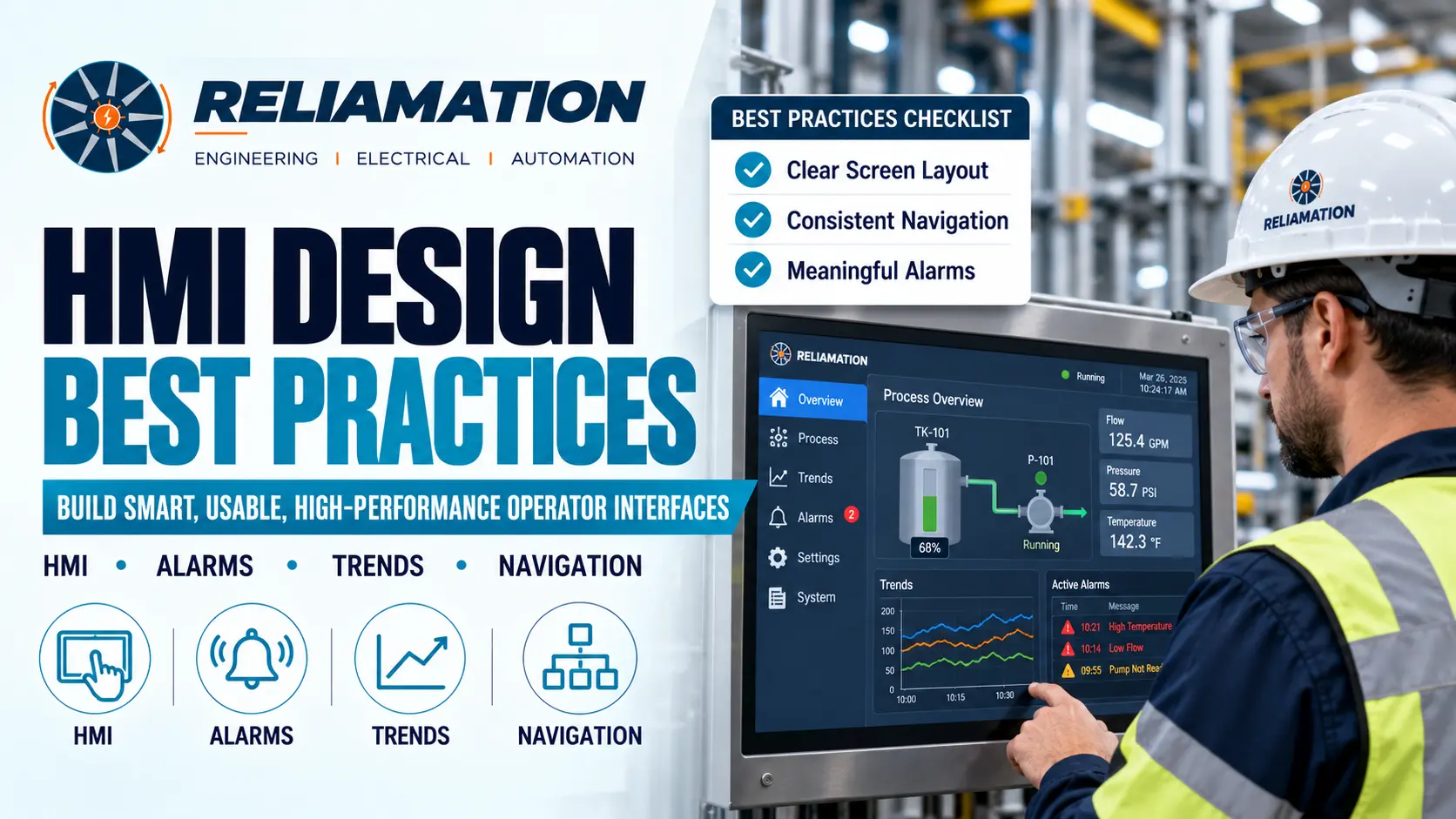
Human-Machine Interfaces play a critical role in modern industrial automation.
Operators use HMIs to monitor equipment, review alarms, change setpoints, start and stop processes, identify abnormal conditions, and understand what is happening inside the plant.
However, an HMI should do more than display attractive graphics.
A poorly designed interface can overwhelm operators with unnecessary information, hide important process conditions, and make troubleshooting more difficult. In contrast, a clear and consistent HMI can improve situational awareness and help operators respond more effectively.
For this reason, following proven HMI design best practices is important when developing or modernizing an industrial control system.
The ISA-101 series provides industry guidance for the design, implementation, operation, and maintenance of Human-Machine Interfaces. It covers areas such as navigation, graphics, colors, alarms, usability, and HMI lifecycle management. isa.org
Reliamation provides HMI development as part of its PLC, DCS, RTU, and industrial automation software services. Reliamation
What Are HMI Design Best Practices?
HMI design best practices are principles used to create operator interfaces that are easy to understand, consistent, responsive, and useful during both normal and abnormal plant conditions.
A well-designed industrial HMI should help operators quickly answer questions such as:
- Is the process operating normally?
- Which equipment is running?
- Is anything approaching an abnormal condition?
- Which alarm requires attention?
- Why did a machine stop?
- What action should the operator take?
- Is a process value improving or getting worse?
The goal is not to place as much information as possible on one screen.
Instead, the goal is to present the right information clearly and at the right level of detail.
1. Design for the Operator
One of the most important HMI design best practices is designing around the operator’s actual tasks.
Before creating screens, understand:
- What operators monitor
- Which decisions they make
- Which equipment they control
- Which alarms require action
- Which values are most important
- Which information is needed during troubleshooting
For example, an operator supervising a production line may need immediate visibility into:
- Line status
- Production rate
- Machine availability
- Active faults
- Key process values
- Current operating mode
Therefore, screen design should begin with operational requirements rather than decorative graphics.
2. Create a Clear Screen Hierarchy
A good HMI should provide information in layers.
A typical hierarchy may include:
Level 1 – Plant or Line Overview
Shows the overall operating condition.
Level 2 – Process Area
Shows a production area, machine group, or major process section.
Level 3 – Equipment Detail
Shows detailed information for a specific pump, conveyor, motor, tank, or machine.
Level 4 – Diagnostics
Provides detailed maintenance, configuration, or troubleshooting information.
This structure helps operators move from a high-level overview to detailed information without overcrowding the main screen.
ISA-101 specifically addresses screen hierarchy and navigation conventions as part of effective HMI design. isa.org
3. Keep Navigation Consistent
Operators should not have to learn a different navigation method on every screen.
Use consistent locations for:
- Home
- Previous screen
- Alarm summary
- Trends
- Equipment navigation
- System status
- Login or user functions
For example, if the alarm button appears in the top-right corner on one screen, it should remain in the same location throughout the application.
Consistency reduces confusion and helps operators move through the system more quickly.
In addition, avoid unnecessary popup windows and hidden navigation paths.
4. Use Color With Purpose
An HMI does not need bright colors everywhere.
In fact, excessive color can make abnormal conditions harder to recognize.
A practical approach is to use neutral colors for normal operating conditions and reserve stronger colors for conditions that require attention.
For example:
- Normal equipment: neutral or muted appearance
- Warning: clearly distinguished warning state
- Alarm: highly visible abnormal state
- Disabled equipment: visually different from active equipment
The exact color standard should be defined consistently across the facility.
High-performance HMI guidance emphasizes limited and consistent use of color so abnormal conditions stand out more clearly. isa.org
5. Avoid Decorative 3D Graphics
Highly detailed pumps, pipes, tanks, flames, shadows, and animations may look impressive, but they often add little operational value.
Instead, use simple graphics that communicate equipment condition clearly.
For example, operators usually need to know:
- Is the pump running?
- Is it available?
- Is it faulted?
- Is it in automatic or manual mode?
They do not need a photorealistic pump animation.
Therefore, graphics should support process understanding rather than decoration.
6. Make Important Process Values Easy to Read
Critical process values should be immediately visible.
Examples include:
- Temperature
- Pressure
- Flow
- Level
- Speed
- Production rate
- Machine status
Avoid placing important information in small text or crowded tables.
In addition, include engineering units where required.
For example:
Pressure: 6.2 bar
is clearer than:
Pressure: 6.2
The interface should allow operators to understand the value without guessing what it represents.
7. Show Context, Not Just Numbers
A single number may not tell the operator whether a process is normal.
For example:
Temperature: 185°F
may be difficult to interpret without context.
A better display can also show:
- Normal range
- Warning range
- Alarm limit
- Target
- Recent trend
Therefore, operators can see not only the current value but also whether the process is moving toward an abnormal condition.
This is one reason trends are valuable in high-performance HMI design. isa.org
8. Use Trends for Critical Variables
Trends help operators understand how process values change over time.
Useful variables may include:
- Temperature
- Pressure
- Flow
- Tank level
- Production rate
- Motor current
- Energy consumption
For example, a tank level of 80% may appear acceptable.
However, a trend may show that the level is rising quickly toward a high-level alarm.
As a result, the operator gains more context than a single numeric value can provide.
Trends should focus on useful operating information rather than displaying every available tag.
9. Design Alarms for Action
An alarm should represent a condition that requires operator attention.
Avoid creating alarms for every small state change.
Instead, alarms should clearly communicate:
- What happened
- Where it happened
- How important it is
- What the operator may need to investigate
Poor alarm message:
Alarm 203
Better:
Cooling Water Pressure Low – Pump 2
The second message immediately gives the operator useful information.
In addition, alarm priorities should remain consistent.
ISA-101 includes alarming conventions within the broader HMI design framework. isa.org
10. Reduce Nuisance Alarms
Repeated or unnecessary alarms can reduce operator effectiveness.
Examples include:
- Alarm repeatedly clears and returns
- Multiple alarms are generated by one equipment failure
- Normal operating transitions trigger alarms
- Low-value informational events are treated as alarms
Instead, alarm configuration should focus attention on meaningful abnormal conditions.
Where possible, identify the root condition rather than generating several secondary alarms.
For example, one communication failure should not create dozens of unrelated operator alarms if they all have the same root cause.
11. Make Equipment Status Clear
Operators should be able to understand equipment state quickly.
For a motor, the HMI may show:
- Running
- Stopped
- Faulted
- Available
- Manual mode
- Automatic mode
- Local mode
For a valve:
- Open
- Closed
- Moving
- Faulted
Clear equipment status reduces troubleshooting time.
In addition, commands and actual feedback should be visually distinguishable.
A start command does not necessarily mean the motor is actually running.
12. Display Interlocks and Permissives
When equipment refuses to start, operators should know why.
Instead of displaying only:
START NOT ALLOWED
provide access to the actual permissives.
For example:
Pump Start Permissives
- Tank level OK
- Suction valve open
- Motor ready
- No overload
- System in automatic mode
If one condition is false, highlight that specific condition.
As a result, maintenance and operations teams can identify the problem faster.
13. Keep Text Clear and Consistent
Use simple and consistent terminology.
Avoid using several names for the same equipment.
For example, do not label one screen:
Pump 101
another:
P-101
and another:
Feed Pump
unless there is a clear naming standard.
Use the same equipment identifiers throughout:
- PLC
- HMI
- SCADA
- Electrical drawings
- Alarm messages
- Maintenance documentation
Consistency improves communication between operations, engineering, and maintenance teams.
14. Avoid Overcrowded Screens
Trying to display an entire plant on one HMI screen usually creates unnecessary complexity.
Too much information can make important values difficult to find.
Instead:
- Prioritize important information
- Use screen hierarchy
- Group related equipment
- Move detailed diagnostics to secondary screens
- Remove decorative elements
Each screen should have a clear purpose.
If a graphic does not help the operator understand or control the process, consider removing it.
15. Use Consistent Symbols
The same type of equipment should use the same graphical representation throughout the HMI.
For example, all pumps should follow the same:
- Symbol
- Status indication
- Faceplate design
- Alarm behavior
- Command layout
Similarly, valves, motors, conveyors, and drives should use standardized objects.
Reusable templates can also simplify future system expansion.
When another pump is added, engineers can use the same tested HMI object rather than creating a new design from scratch.
16. Design for Different User Roles
Not every user needs the same level of access.
Typical HMI roles may include:
- Operator
- Maintenance technician
- Engineer
- Supervisor
- Administrator
For example, an operator may be allowed to:
- Start equipment
- Stop equipment
- Change approved setpoints
An engineer may also need access to:
- Advanced configuration
- Diagnostics
- Calibration
- System settings
Role-based access can reduce accidental changes and keep advanced functions away from users who do not need them.
ISA-101 includes security methods among the areas considered in HMI design and management. isa.org
17. Protect Critical Commands
Important control actions should require appropriate confirmation.
Examples include:
- Resetting major faults
- Changing critical setpoints
- Stopping a production line
- Starting equipment in manual mode
- Disabling an interlock
For high-impact actions, the HMI may display a confirmation prompt.
However, avoid adding confirmation messages to every small command.
Too many unnecessary prompts can slow normal operations.
18. Design for Communication Failures
The HMI should clearly show when displayed data is no longer valid.
If communication with a PLC is lost, the interface should not continue showing stale values as if they are current.
Instead, communication failure should be obvious.
For example:
PLC Communication Lost
or
Data Unavailable
This helps operators distinguish a process problem from a network or controller problem.
19. Test the HMI With Operators
Engineers understand the control system.
Operators understand how the process is actually used every day.
Therefore, operator feedback should be included during HMI development.
Before final commissioning, review:
- Navigation
- Screen layout
- Alarm messages
- Equipment controls
- Trends
- Setpoints
- Diagnostics
Operators may identify workflow issues that are not obvious during engineering.
ISA’s HMI guidance emphasizes usability and performance throughout HMI design and lifecycle management. isa.org
20. Keep HMI Documentation Current
HMI documentation should remain aligned with the installed system.
Maintain information such as:
- Screen hierarchy
- Navigation structure
- Tag mapping
- Alarm list
- User roles
- Communication paths
- Software version
- Backup location
In addition, create a new backup after approved HMI changes.
Good documentation makes future troubleshooting and upgrades easier.
HMI Design Best Practices Checklist
Use this checklist during HMI design or modernization.
Screen Layout
- Screens have a clear purpose
- Important information is easy to find
- Decorative graphics are minimized
- Process values are readable
- Engineering units are shown
Navigation
- Navigation is consistent
- Home screen is easy to access
- Alarm summary is accessible
- Trends are accessible
- Equipment details follow a clear hierarchy
Colors and Graphics
- Normal conditions use restrained colors
- Abnormal conditions stand out
- Color usage is consistent
- Equipment symbols are standardized
- Unnecessary animations are avoided
Alarms
- Alarm messages are descriptive
- Priorities are consistent
- Nuisance alarms are minimized
- Operators can identify required action
Diagnostics
- Equipment faults are visible
- Permissives are accessible
- Communication failures are indicated
- Device status is clear
Security
- User roles are defined
- Critical functions are protected
- Administrative access is restricted
Documentation
- HMI backup is current
- Alarm list is current
- Screen hierarchy is documented
- Software version is recorded
Common HMI Design Mistakes
Using Too Many Colors
Excessive color makes important warnings less visible.
Use color intentionally.
Overloading the Overview Screen
Trying to display every device on one screen reduces clarity.
Use multiple levels of detail instead.
Poor Alarm Messages
Messages such as Fault 12 provide little useful information.
Describe the equipment and actual condition.
Inconsistent Navigation
Changing navigation layouts between screens creates unnecessary operator confusion.
Keep navigation predictable.
No Trends
Operators need context, not just current values.
Use trends for important variables.
Too Much Animation
Spinning motors and moving equipment graphics can distract from important process information.
Use animation only when it provides meaningful operational value.
No Operator Input During Design
The people using the HMI every day should participate in design reviews.
Why Good HMI Design Matters
Following HMI design best practices can help industrial facilities:
- Improve operator awareness
- Reduce interface confusion
- Make alarms easier to understand
- Improve troubleshooting
- Standardize equipment displays
- Support faster decision-making
- Improve long-term maintainability
- Simplify future system expansion
More importantly, a good HMI helps operators understand the plant without forcing them to search through unnecessary information.
ISA states that well-designed HMI practices can support safety, productivity, reliability, standardization, and operator awareness. isa.org
How Reliamation Supports HMI Development
Reliamation provides custom HMI development as part of its industrial automation software services. Its capabilities include HMI, PLC, DCS, and RTU software development and implementation for industrial applications. Reliamation
Reliamation’s engineering approach is designed to support control-system performance, reliability, integration, and long-term lifecycle needs. Reliamation
Whether a facility is developing a new HMI, replacing a legacy operator interface, integrating HMI screens with a PLC, or modernizing an existing SCADA environment, consistent design practices can improve usability and maintainability.
Need HMI Design or Modernization Support?
Contact Reliamation to discuss HMI development, PLC integration, SCADA systems, control-system modernization, and industrial automation requirements.
Frequently Asked Questions
What are HMI design best practices?
HMI design best practices are methods used to create industrial operator interfaces that are clear, consistent, easy to navigate, and effective during normal and abnormal operating conditions.
What is a high-performance HMI?
A high-performance HMI focuses on operational information, situational awareness, consistent navigation, meaningful alarms, useful trends, and restrained graphics rather than decorative animation.
Why should HMI colors be limited?
Restrained color usage helps important abnormal conditions stand out. If every item is brightly colored, alarms and warnings become harder to identify.
What information should an HMI overview screen show?
An overview screen should show the most important information needed to understand overall process health, equipment status, abnormal conditions, and major production indicators.
Why are trends important in HMI design?
Trends show how process variables change over time, helping operators identify whether conditions are stable, improving, or approaching abnormal limits.
How should HMI alarms be designed?
Alarm messages should clearly identify the equipment, abnormal condition, and priority. Avoid vague alarm numbers and unnecessary nuisance alarms.
Should operators be involved in HMI design?
Yes. Operators can provide valuable feedback about navigation, workflows, alarm messages, and the information required during real plant operation.
How often should HMI applications be backed up?
A new backup should be created after every approved HMI configuration or application change.
What is ISA-101?
ISA-101 is a series of standards and technical reports covering the design, implementation, operation, usability, performance, and lifecycle management of Human-Machine Interfaces used in industrial automation.
Frequently Asked Questions
Get answers to common questions about industrial automation, PLC migration, HMI, SCADA, and control-system integration.
Reliamation provides industrial automation services including PLC programming, HMI and SCADA development, control system integration, legacy control-system migration, industrial networking, data reporting, system troubleshooting, and automation modernization.
Yes. Reliamation helps manufacturers migrate legacy platforms such as PLC-5 and SLC 500 to modern ControlLogix and CompactLogix systems while minimizing production disruption and preserving essential control functionality.
A PLC controls machines and industrial processes, an HMI allows operators to interact with equipment, and a SCADA system provides plant-wide monitoring, control, alarms, historical data, and reporting.
Yes. Reliamation develops custom HMI and SCADA solutions designed around each facility’s equipment, operating requirements, alarm strategy, security standards, and reporting needs.
In many cases, yes. A phased modernization approach can retain compatible equipment while replacing obsolete controllers, communication networks, operator interfaces, and other high-risk components.
Reliamation’s automation and control-system solutions can support manufacturing, food and beverage, plastics, packaging, material handling, water treatment, energy, and other process-driven industries.
Industrial automation can reduce downtime through reliable controls, real-time alarms, equipment diagnostics, historical data, preventive-maintenance insights, and faster troubleshooting.
You can contact Reliamation through the website to discuss your existing control system, operational challenges, modernization requirements, and project goals with an industrial automation specialist.