

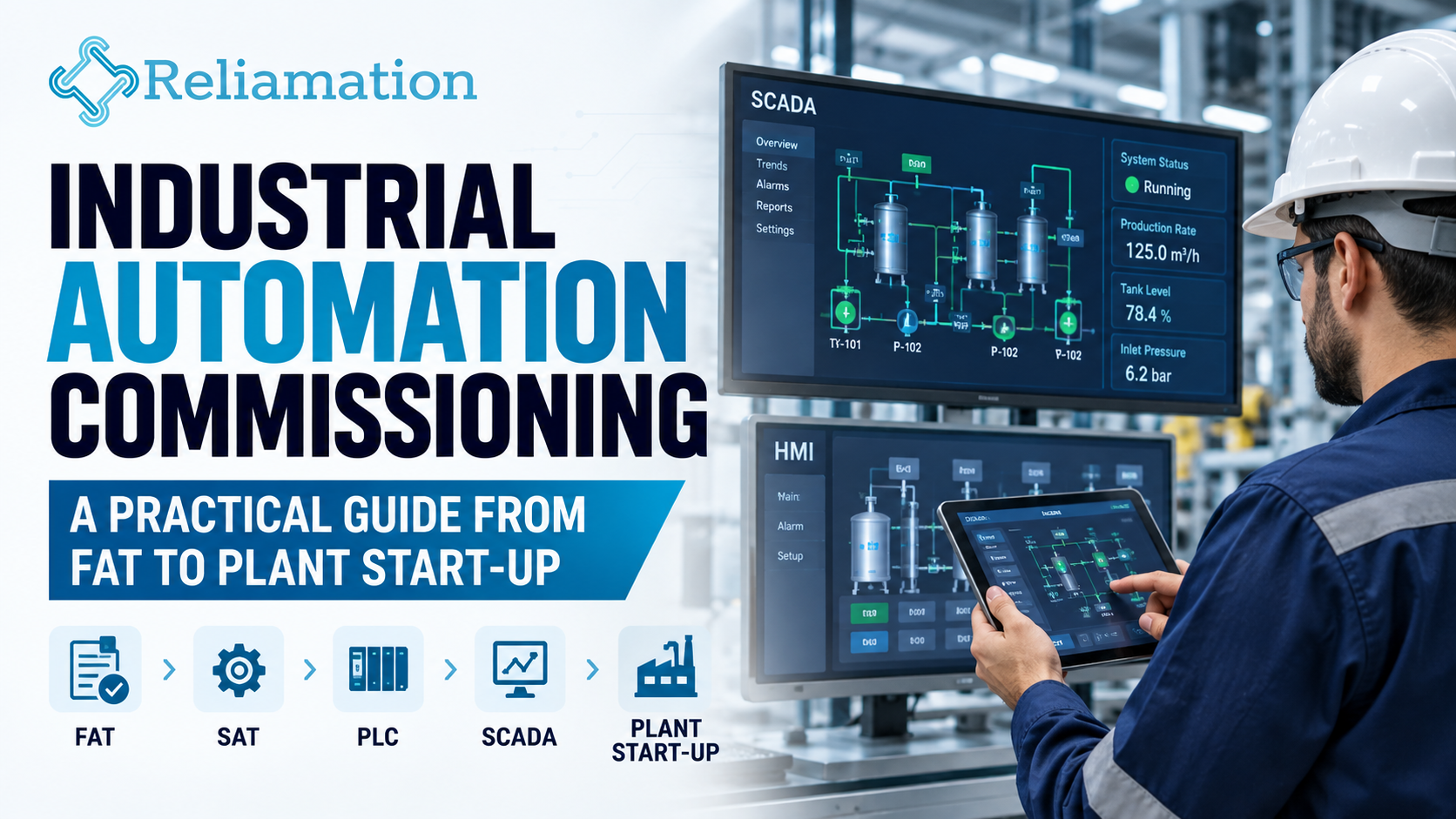
A well-designed automation system does not become a reliable production system simply because the programming is complete.
However, before a new or upgraded PLC, DCS, SCADA, or HMI system enters live production, every part of the control system should be tested and verified. Therefore, industrial automation commissioning plays a critical role in the success of an automation project.
In addition, a structured commissioning process helps identify wiring errors, incorrect I/O assignments, communication failures, PLC logic issues, alarm problems, and operator-interface errors before they affect production.
As a result, commissioning connects engineering design with real plant operation. Moreover, facilities can move toward start-up with greater confidence and fewer unexpected issues.
What Is Industrial Automation Commissioning?
In simple terms, industrial automation commissioning is the process of checking whether control-system hardware and software operate according to approved design requirements.
For example, the process may include PLCs, SCADA systems, HMIs, industrial networks, drives, instrumentation, and field devices.
In addition, engineers verify that these components communicate correctly and perform as expected under actual operating conditions.
Depending on the project, an automation system may include:
- PLCs
- DCS controllers
- SCADA systems
- HMIs
- RTUs
- VFDs
- Industrial networks
- Instrumentation
- Motor controls
- Field devices
- Reporting systems
However, commissioning is more than checking whether equipment powers on.
Instead, engineers verify that all parts of the automation system communicate correctly and perform as expected under real operating conditions.
1. Review Engineering Documents Before Testing
Before testing begins, the engineering team should review the latest approved project documents.
These documents may include:
- Process and instrumentation diagrams
- Control narratives
- I/O lists
- Electrical drawings
- Network architecture
- PLC specifications
- HMI requirements
- Alarm lists
- Cause-and-effect documents
- Sequence-of-operation documents
Using outdated drawings can create unnecessary troubleshooting during plant start-up.
Therefore, all teams should work from the same approved documentation before commissioning activities begin.
2. Verify Control Panels and Hardware
Next, technicians should verify that the installed hardware matches the approved design.
The inspection may include:
- PLC hardware
- I/O modules
- Power supplies
- Industrial switches
- Panel wiring
- Circuit protection
- Grounding
- Network connections
- Terminal identification
- Device labels
In addition, hardware should be checked before detailed software testing starts.
By identifying wiring or installation issues early, the team can reduce troubleshooting later in the project.
3. Perform I/O Checkout
I/O checkout is one of the most important steps in industrial automation commissioning.
During this stage, each field signal should be tested from the physical device through the controller and, where applicable, through the HMI or SCADA system.
For example, a digital input may be verified through the following path:
Field Device → PLC Input → PLC Logic → HMI Indication
Analog signals should also be checked carefully.
Engineers should verify:
- Correct scaling
- Engineering units
- Minimum values
- Maximum values
- Sensor ranges
- Alarm thresholds
As a result, the control system can display accurate process information before live operation begins.
4. Verify PLC Control Logic
After the I/O checkout is complete, engineers can move on to PLC logic testing.
Typical areas include:
- Equipment start and stop sequences
- Interlocks
- Permissives
- Auto/manual operation
- Sequence logic
- Timers
- Process control loops
- Equipment status
- Failure conditions
- Emergency conditions
In addition, engineers should test both normal and abnormal scenarios.
For instance, it is not enough to confirm that a motor starts correctly. The team should also verify what happens when an important permissive is lost during operation.
Therefore, logic testing should cover expected operation as well as possible fault conditions.
5. Test HMI and SCADA Functions
Operators rely on HMI and SCADA systems to understand what is happening inside the process.
Therefore, the operator interface should accurately represent actual equipment conditions.
During HMI or SCADA testing, engineers may verify:
- Equipment status
- Process values
- Start/stop commands
- Alarm indications
- Alarm acknowledgment
- Trends
- Setpoint changes
- Navigation
- User permissions
- Communication failures
In addition, the interface should remain clear and easy to understand.
If operators cannot quickly identify process conditions, troubleshooting can become slower during production.
6. Verify Industrial Communications
Modern automation systems depend heavily on reliable communication.
For example, data may flow across several connected devices and platforms:
- Remote I/O ↔ PLC
- HMI ↔ PLC
- SCADA System ↔ PLC
- VFD ↔ PLC
- Controller ↔ Historian
- Reporting System ↔ SCADA
During commissioning, engineers should verify:
- Correct device addressing
- Stable network connectivity
- Accurate data mapping
- Communication status
- Proper fault detection
- Recovery after a communication interruption
In addition, intermittent network issues should be resolved before production begins. Otherwise, small communication problems can lead to larger operational issues during plant start-up.
7. Complete Factory Acceptance Testing
A Factory Acceptance Test (FAT) allows the project team to test automation functions before the system reaches full site operation.
Depending on the project, FAT may include:
- PLC logic
- HMI screens
- Alarm functionality
- Sequence operation
- Simulated field signals
- Communications
- Reporting functions
- Operator controls
Because FAT takes place before final start-up, engineers have more time to correct issues without affecting live production.
In addition, test results should be documented clearly.
Any remaining issues should be added to an open-items or punch-list document.
8. Prepare for Site Acceptance Testing
After installation, the automation system should be tested again at the actual plant.
This stage is commonly known as Site Acceptance Testing (SAT).
During SAT, the system is tested with real:
- Field wiring
- Instruments
- Motors
- Drives
- Valves
- Network infrastructure
- Production equipment
Although a system may perform correctly during FAT, site conditions can reveal new problems.
Therefore, SAT remains essential even when factory testing has already been completed successfully.
9. Test Alarms and Interlocks
Alarm and interlock testing should be handled carefully.
Engineers should confirm:
- Alarm trigger conditions
- Alarm priority
- Operator notification
- Alarm acknowledgment
- Interlock operation
- Reset behavior
- Recovery sequences
In addition, critical interlocks should be tested against documented expectations.
For example, the team should know exactly what equipment should stop, continue, or reset when a certain fault condition occurs.
As a result, alarm and interlock behavior becomes predictable during real operation.
10. Conduct Controlled Plant Start-Up
Once individual systems pass testing, the project can move toward plant start-up.
However, start-up should usually happen in a controlled sequence.
A typical approach may include:
- Energize control systems.
- Confirm communications.
- Start auxiliary equipment.
- Verify process instrumentation.
- Start individual machines.
- Validate operating sequences.
- Introduce process material gradually.
- Monitor system response.
- Adjust control parameters where necessary.
- Confirm stable operation.
In addition, engineers, operators, maintenance teams, and production personnel should coordinate closely during this stage.
Good communication can reduce confusion and speed up issue resolution.
11. Tune Process Control Loops
Some process-control loops require adjustment after the system begins operating under real conditions.
These may include:
- Temperature control
- Pressure control
- Flow control
- Level control
- Speed control
Although simulation can provide initial settings, real process conditions often require fine-tuning.
Therefore, loop performance should be observed during normal operation.
Where required, PID parameters can then be adjusted to improve stability and response.
12. Verify Reporting and Historical Data
If the automation system includes historian or MIS reporting functions, those systems should also be tested.
Engineers should confirm that:
- Required tags are recorded
- Values are accurate
- Timestamps are correct
- Reports contain expected data
- Trends display correctly
- Data remains available after restart
In addition, reporting data should match the actual control-system values.
This is especially important when production teams depend on reports for operational decisions.
13. Resolve Commissioning Punch-List Items
During commissioning, some issues may remain open.
Therefore, the project team should maintain a formal punch list.
Each item should contain:
- Description of the issue
- Responsible party
- Priority
- Current status
- Resolution
- Verification
In addition, open items should not rely on informal notes or verbal agreements.
A structured punch list helps ensure important technical issues are not forgotten during a busy start-up period.
14. Back Up the Final System
After successful commissioning, a final backup should be created.
This backup may include:
- PLC programs
- HMI applications
- SCADA configurations
- VFD parameters
- Network configurations
- Controller settings
- Reporting applications
In addition, the final backup should reflect the system that is actually operating in the plant.
This is often referred to as an as-commissioned backup.
As a result, maintenance teams have a reliable recovery point for future troubleshooting or system restoration.
15. Complete Documentation and Handover
Finally, the commissioning process should end with complete technical documentation.
Typical handover documents may include:
- Final PLC programs
- HMI and SCADA applications
- Electrical drawings
- Network diagrams
- Updated I/O lists
- Device configuration files
- Test records
- Backup files
- Operating instructions
- Maintenance recommendations
In addition, operator and maintenance training may be included as part of the handover.
A complete handover helps the facility operate and maintain the automation system more effectively after the project team leaves.
Industrial Automation Commissioning Checklist
Before declaring the system ready for production, confirm the following:
Engineering
- Approved drawings reviewed
- Control narrative verified
- I/O list updated
Hardware
- Panels inspected
- PLC hardware verified
- Network equipment checked
Software
- PLC logic tested
- HMI screens validated
- Alarm logic verified
Field Devices
- Digital I/O tested
- Analog signals scaled
- Instruments calibrated
Communications
- PLC communications stable
- SCADA connectivity verified
- Industrial network tested
Testing
- FAT completed
- SAT completed
- Punch-list items resolved
Start-Up
- Equipment sequences verified
- Interlocks tested
- Process loops tuned
Handover
- Final backups created
- Documentation updated
- Operator training completed
Why Structured Commissioning Matters
A structured commissioning process can help reduce:
- Start-up delays
- Wiring errors
- Control-logic problems
- Unexpected equipment behavior
- Production interruptions
- Operator confusion
- Troubleshooting time after handover
Moreover, commissioning helps verify that engineering work performs correctly under actual plant conditions.
As a result, the automation system can move into production with fewer unknowns and better technical documentation.
Reliamation Plant Start-Up & Commissioning Services
Reliamation provides industrial automation and control-system integration services for facilities that require reliable PLC, SCADA, HMI, and control-system infrastructure.
In addition, plant start-up and commissioning can form an important part of automation upgrades, new equipment installations, and control-system modernization projects.
Whether your facility is installing new automation equipment or upgrading an existing system, a structured commissioning process can help move the project from engineering design to dependable operation.
Planning an industrial automation or plant start-up project?
Contact Reliamation to discuss your PLC, SCADA, control-system integration, and commissioning requirements.
Frequently Asked Questions
What is industrial automation commissioning?
Industrial automation commissioning is the process of testing and verifying PLCs, SCADA systems, HMIs, networks, instrumentation, and field equipment before normal production begins.
What is the difference between FAT and SAT?
FAT is typically used to verify automation functionality before final site operation. In contrast, SAT checks the installed system using actual plant equipment and infrastructure.
What is PLC commissioning?
PLC commissioning includes checking controller hardware, I/O signals, programming logic, communication, sequences, alarms, and interaction with field devices.
Why is I/O testing important during commissioning?
I/O testing confirms that field devices are correctly connected, addressed, and represented inside the control system. Therefore, it helps prevent incorrect equipment behavior and inaccurate process data.
When should commissioning begin?
Commissioning preparation should begin during the engineering phase. In addition, testing procedures and acceptance criteria should be defined before plant start-up.
What should be backed up after commissioning?
Final PLC programs, HMI applications, SCADA configurations, network settings, drive parameters, and related automation files should be backed up after the approved system is operating correctly.
Frequently Asked Questions
Get answers to common questions about industrial automation, PLC migration, HMI, SCADA, and control-system integration.
Reliamation provides industrial automation services including PLC programming, HMI and SCADA development, control system integration, legacy control-system migration, industrial networking, data reporting, system troubleshooting, and automation modernization.
Yes. Reliamation helps manufacturers migrate legacy platforms such as PLC-5 and SLC 500 to modern ControlLogix and CompactLogix systems while minimizing production disruption and preserving essential control functionality.
A PLC controls machines and industrial processes, an HMI allows operators to interact with equipment, and a SCADA system provides plant-wide monitoring, control, alarms, historical data, and reporting.
Yes. Reliamation develops custom HMI and SCADA solutions designed around each facility’s equipment, operating requirements, alarm strategy, security standards, and reporting needs.
In many cases, yes. A phased modernization approach can retain compatible equipment while replacing obsolete controllers, communication networks, operator interfaces, and other high-risk components.
Reliamation’s automation and control-system solutions can support manufacturing, food and beverage, plastics, packaging, material handling, water treatment, energy, and other process-driven industries.
Industrial automation can reduce downtime through reliable controls, real-time alarms, equipment diagnostics, historical data, preventive-maintenance insights, and faster troubleshooting.
You can contact Reliamation through the website to discuss your existing control system, operational challenges, modernization requirements, and project goals with an industrial automation specialist.